Lighthouse Images
In order to apply a characteristic to a lighthouse image, you need two images. One for the “off” state, and one with transparent sections for the light to shine through.
Finding Images
Europeana is a good source. Don’t forget to check that the licence is compatible with your intended use.
States
The off state is likely to be the image in its original form.
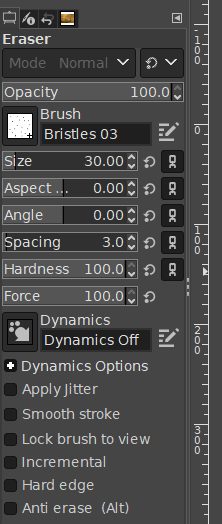
In order to create the on-state image, I used Gimp to erase the lenses of the lighthouse, then I tapped around near the lighthouse with the eraser set on “Bristles 03” brush, maximum hardness and force. This gives a bit of a scatter/glow around it.
This works fine for a source image like a painting, but will probably look a bit rubbish on a photo. Someone with a bit more artistic skill might be able to do something more beautiful, adding highlights reflecting off rocks or whatever.
The important thing to note is that partial opacity does not work. In order to achieve an area of (e.g.) 50% opacity, you need to completely erase half the pixels.
Contributing
I have included a lighthouse image in the repository. Each lighthouse should be included as a folder under lighthouses, with two images ‘on.gif’ and ‘off.gif’ Also include a note about the image’s provenance.